Appearance
The KnowledgeWorks hub
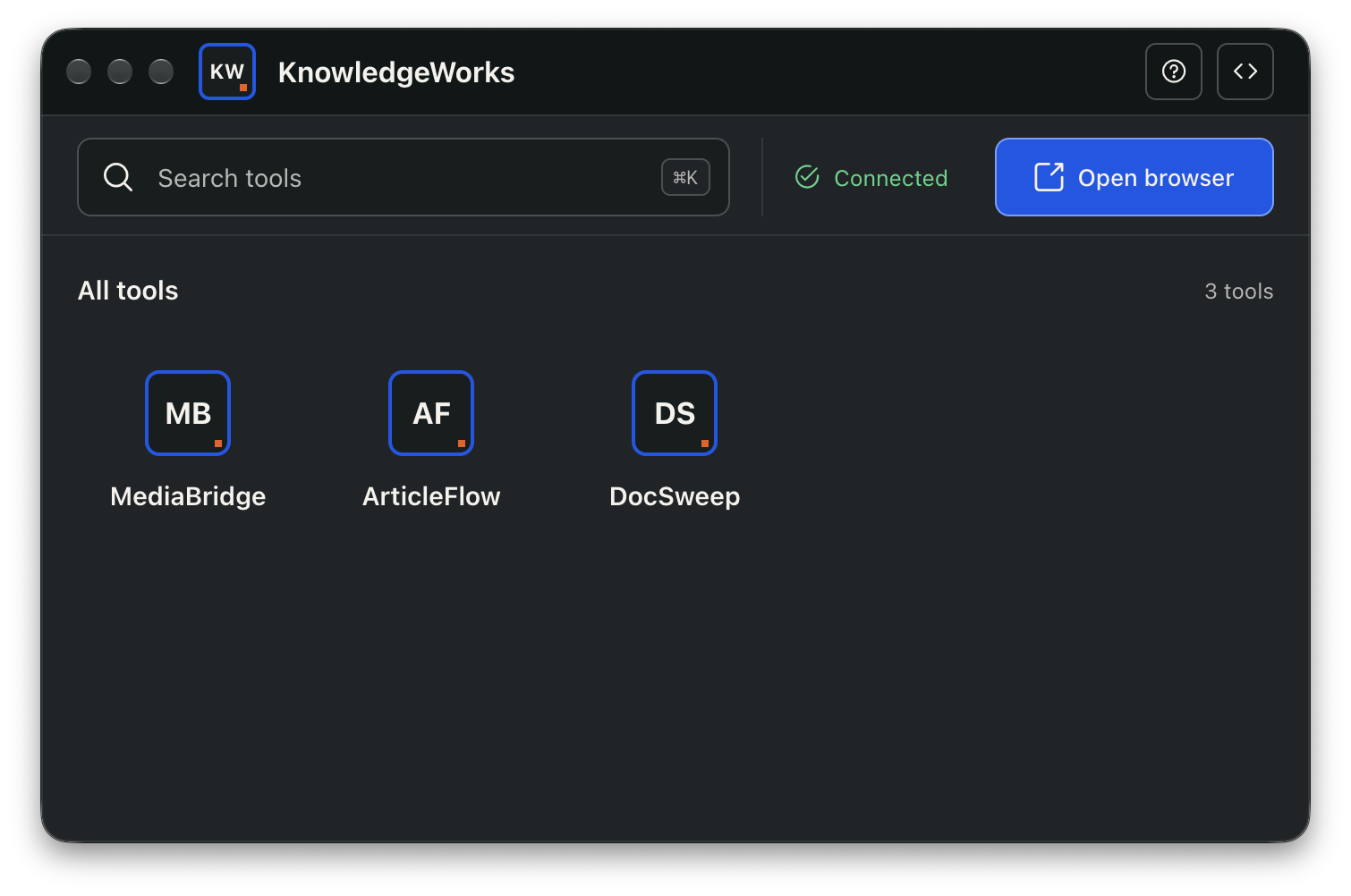
The hub is the starting point for every KnowledgeWorks workflow. It manages the shared controlled browser and opens each automation tool in its own focused window.
Find a tool
- Select a tool tile to open or focus that tool.
- Enter part of a tool name or purpose in Search tools.
- Press
Ctrl+Kon Windows orCommand+Kon macOS to focus search. - Press
Escapewhile searching to clear the query. - Scroll the tool area when more tools are available than fit in the window.
Manage the browser
The browser status and primary browser action appear together near the search field.
- Launch browser starts the controlled browser.
- Open browser focuses a connected browser.
- Reconnect attempts to restore a lost connection.
- Try again retries a failed launch.
Open logs
Select the code-shaped button in the title bar to open the shared Logs window. All KnowledgeWorks tools write detailed progress and error information there.
The hub intentionally keeps error details out of its compact status area. This prevents long technical messages from shifting the launcher layout or hiding browser controls.
Close and reopen KnowledgeWorks
Only one KnowledgeWorks instance can run at a time. Opening the application again focuses the existing hub. Closing the hub does not normally close the controlled browser, allowing the same session to be reused.